Verification result and client session
After Vault sends the presentation, Verifier checks it and returns a controlled result to the client application. A successful result lets the client create its own authenticated session.
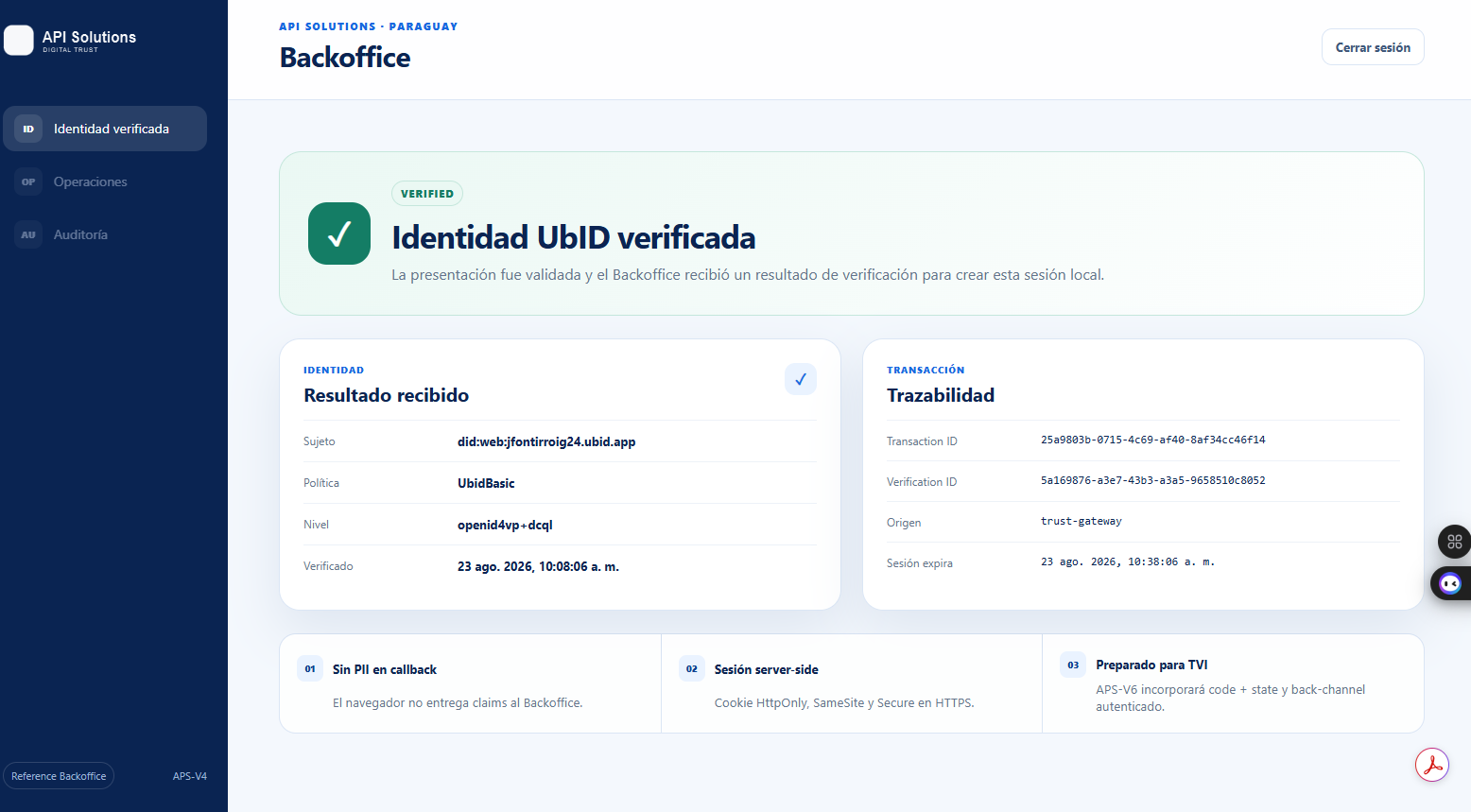
Read the result
The reference backoffice shows two groups of information.
Identity result
- Subject: the verified UbID subject identifier associated with the presentation.
- Policy: the verification policy applied; the example uses
UbidBasic. - Level: the assurance mechanism; the example records
openid4vp+dcql. - Verified: the time at which the accepted verification result was created.
“Verified” means that the presentation satisfied the requested policy and cryptographic checks. It does not mean that every statement a person may make outside the presented credential has been independently investigated.
Transaction traceability
- Transaction ID: correlates the end-to-end verification transaction.
- Verification ID: identifies the verification result.
- Origin: identifies the trusted component that delivered the result.
- Session expires: indicates when the local application session ends.
These identifiers are primarily useful to authorized support or audit personnel. Do not publish them in screenshots or public tickets.
Why the callback does not contain credential claims
In the trusted flow, the browser returns a short-lived code and state. The backoffice exchanges that code through the trusted server channel, validates the signed Verifier result, and only then creates a local session protected by an HttpOnly, SameSite, Secure cookie over HTTPS.
This design prevents the browser callback URL from becoming a container for names, email addresses, credentials, or cryptographic evidence. The client still receives the controlled result needed for its own authorized purpose.
Finish or troubleshoot
- Select Cerrar sesión or the service's equivalent sign-out option when finished, especially on a shared device.
- If the result is rejected, return to the client application and start a new request; do not reuse an old QR code or request URI.
- Confirm the correct Vault account and a valid compatible credential.
- If the request expired, generate a new one from the client application.
- If the displayed subject, policy, or application is unexpected, sign out and contact the service through its approved support channel.
Return to the Verifier overview.