User intranet
The UbID user intranet is the protected console for managing one authenticated identity. It brings together profile data, biometric verification, portable credentials, documents, security controls, devices, and local preferences.
The screenshots were captured in English. Names, User IDs, email addresses, device identifiers, keys, hashes, and dates shown in them are examples; use the values belonging to your own identity.
Enter the intranet
UbID first asks you to select an identity stored locally in the browser. The access method displayed after selection depends on that identity's active security policy.
Password
- Select the correct identity under Self-Sovereign Identity.
- Confirm the complete User ID.
- Enter the account password and select Sign in.
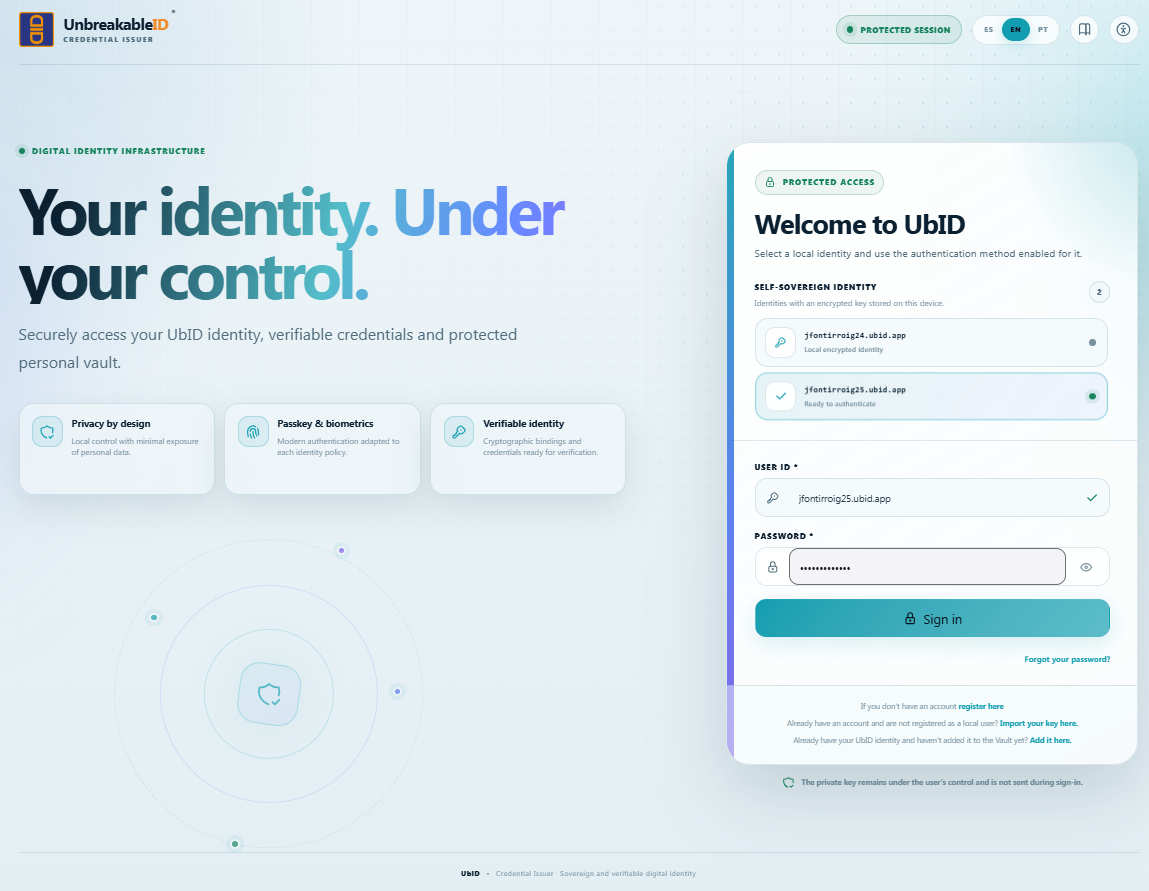
The password unlocks the protected local identity for the sign-in operation. The private key is not sent during normal authentication.
Password and SMS
If policy requires a second factor, UbID sends a code to the registered telephone after checking the password.
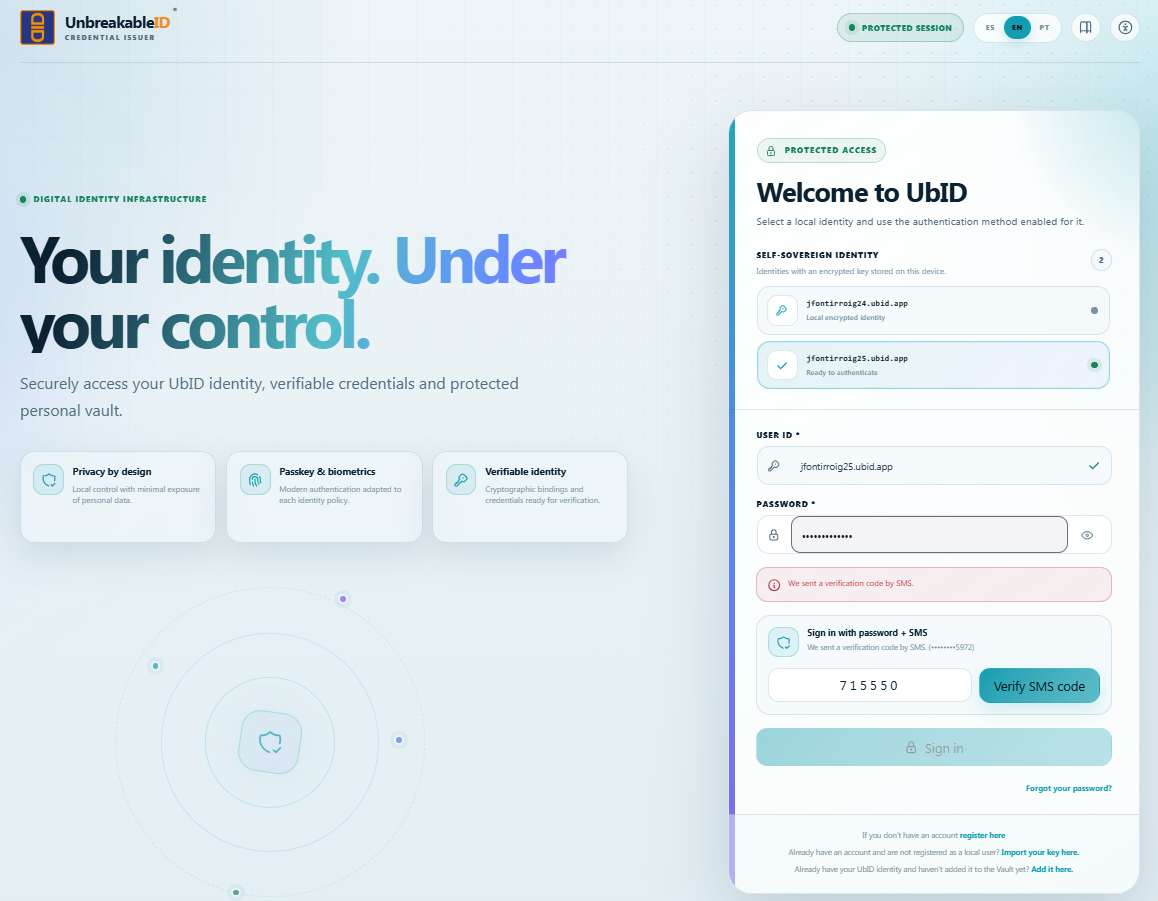
Enter the code received and select Verify SMS code. Check the masked telephone shown on the screen. Never disclose the code to another person or enter it on a site opened from an unsolicited message.
Fingerprint or passkey
When a WebAuthn credential was previously enabled, UbID can display Sign in with fingerprint/passkey.
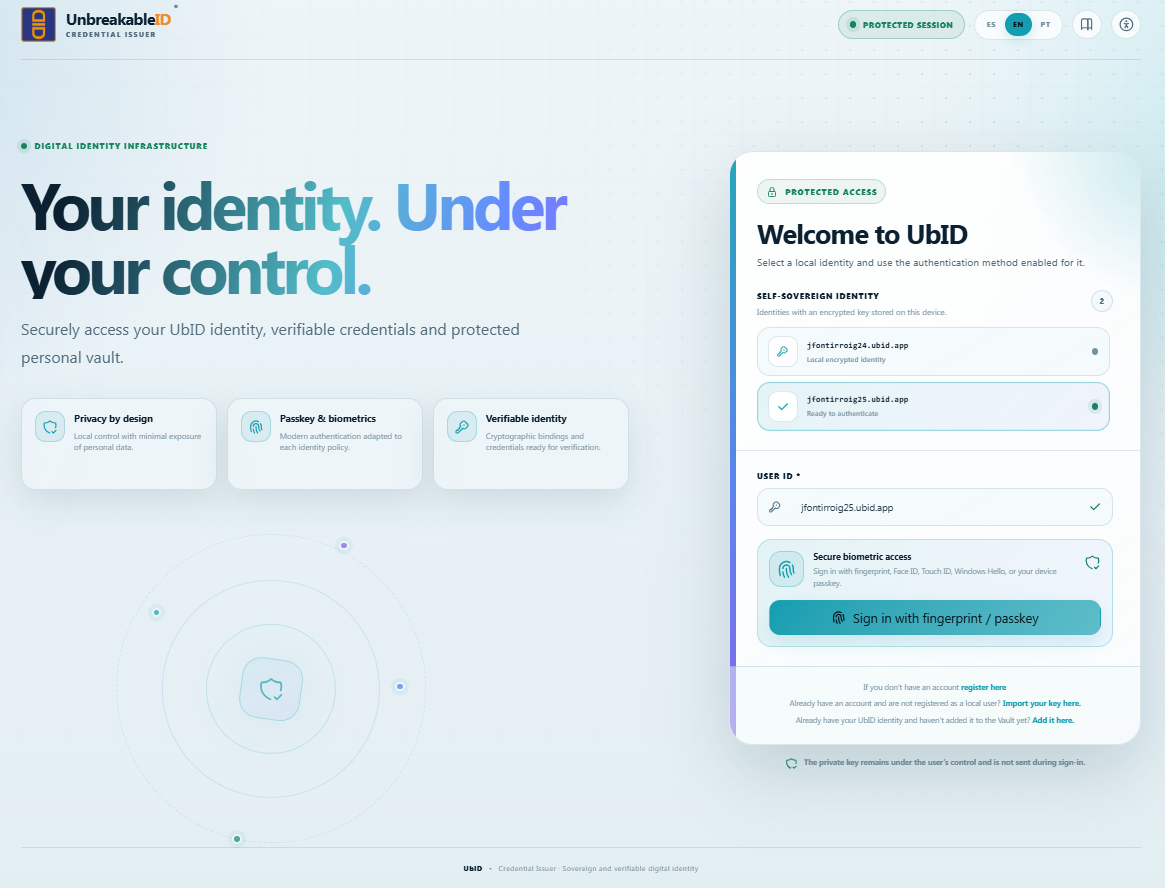
Select the button and follow the operating-system prompt. Depending on the device, the prompt can use a fingerprint, Face ID, Touch ID, Windows Hello, the device PIN, a security key, or another synchronized passkey method. See Biometrics, passkeys, and facial enrollment.
Home dashboard
After successful authentication, UbID opens Home.
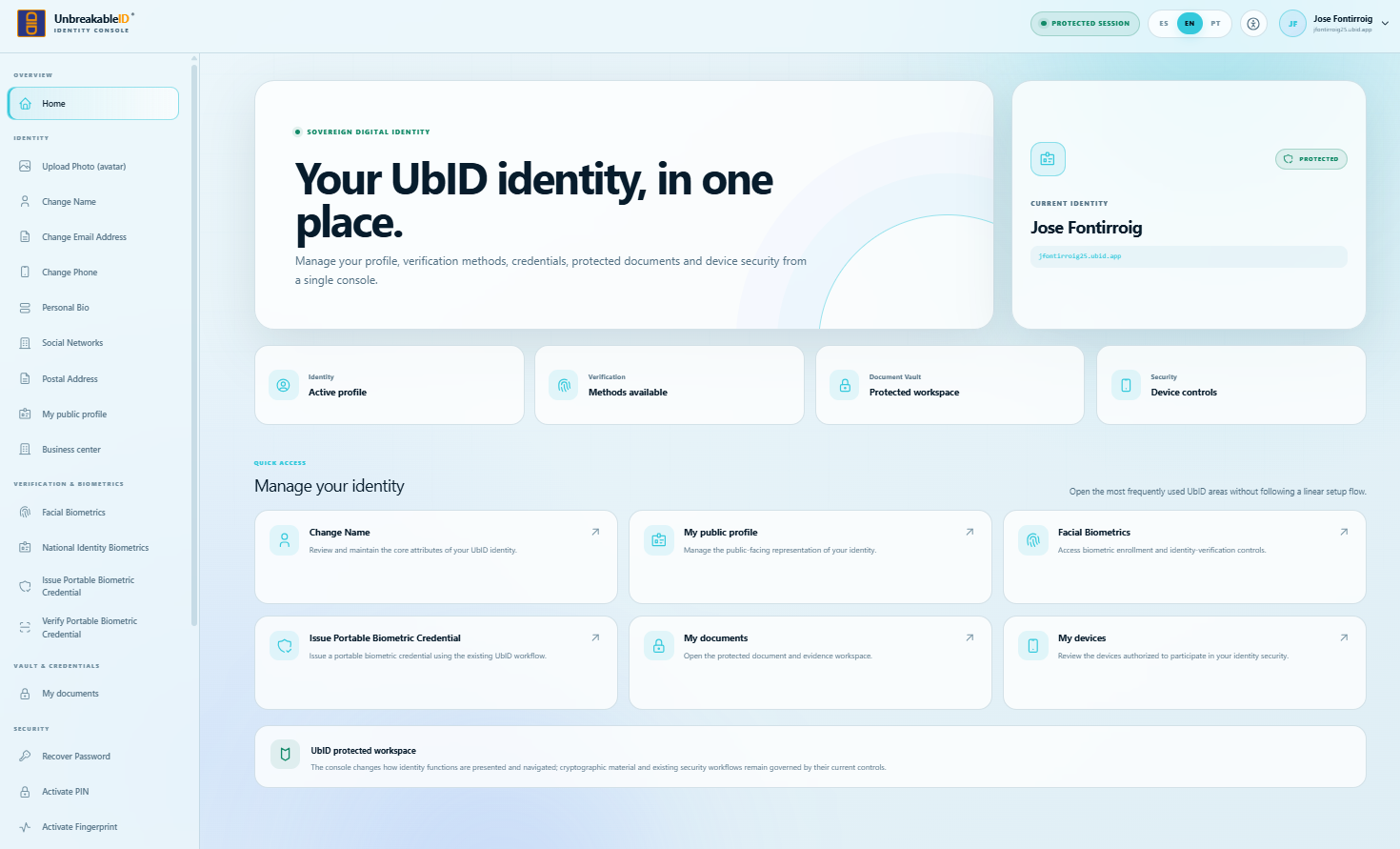
The dashboard contains:
- The current identity card, which lets you verify the active name and User ID.
- Status cards for the profile, verification methods, document Vault, and device security.
- Quick access cards for frequently used functions.
- A sidebar grouped into Identity, Verification & Biometrics, Vault & Credentials, Security, and System.
Select an item in the sidebar to open it directly. Back and Continue move through the visible sequence, but they are not required; you can change areas at any time with the sidebar.
Intranet areas
| Area | Main functions |
|---|---|
| Identity and public profile | Avatar, name, biography, social networks, postal address, public profile, and business center. |
| Biometrics and portable credentials | FaceTec enrollment, national identity verification, and portable biometric credential issuance or verification. |
| Documents and evidence | Upload, scan, classify, review, download, and remove protected documents. |
| Security and devices | Password recovery, PIN, passkey, device authorities, and local-account deletion. |
| Configuration and session | Theme, language, and secure sign-out. |
Before saving, signing, publishing, issuing, or deleting anything, check the name and User ID in the top-right identity area. Changes apply to that selected identity.