Identity and public profile
The Identity section manages private profile information and the separate projection that you explicitly choose to publish. Changes to signed profile fields require the account password because UbID decrypts the local key only for the signing operation.
Upload Photo (avatar)
Open Identity → Upload Photo (avatar), drag an image into the area or choose Select image.
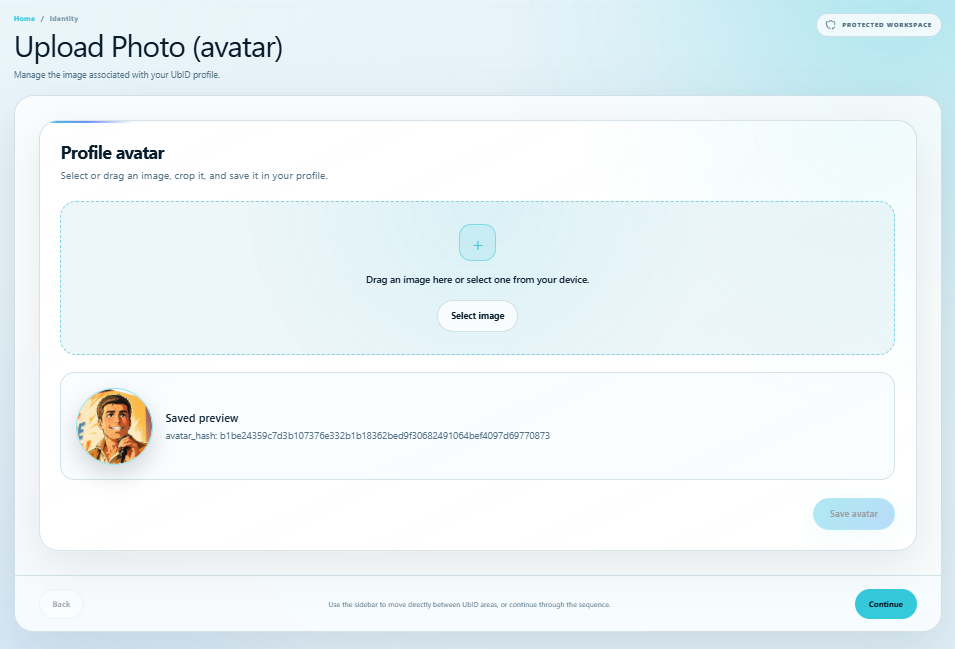
After selecting an image, adjust crop, zoom, rotation, and circular or square shape. Select Save avatar only when the preview is correct. UbID stores the avatar with a SHA-256 hash and validates that hash when loading the saved image.
Change Name
Open Identity → Change Name.
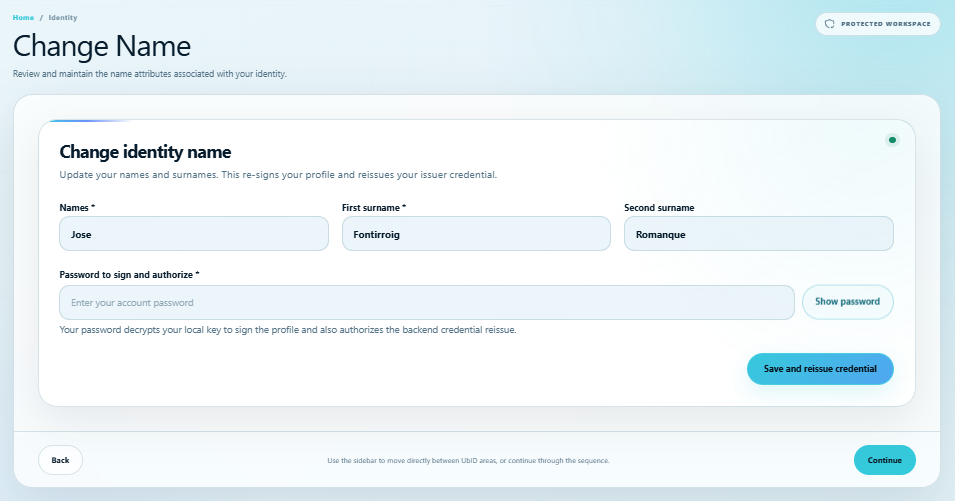
- Review Names, First surname, and the optional Second surname.
- Enter the account password under Password to sign and authorize.
- Select Save and reissue credential.
This operation updates and signs the profile and asks the issuer to reissue the affected credential. Do not close the page until the success message appears.
Change Email Address and Change Phone are visible in the supplied console navigation, but the analyzed source snapshot does not mount an operational editor for either step. If your deployment shows an empty or unavailable panel, do not assume the value changed. Use the approved account-verification or support process for changes to verified recovery factors.
Personal Bio
Open Identity → Personal Bio to write the description stored in the signed profile.
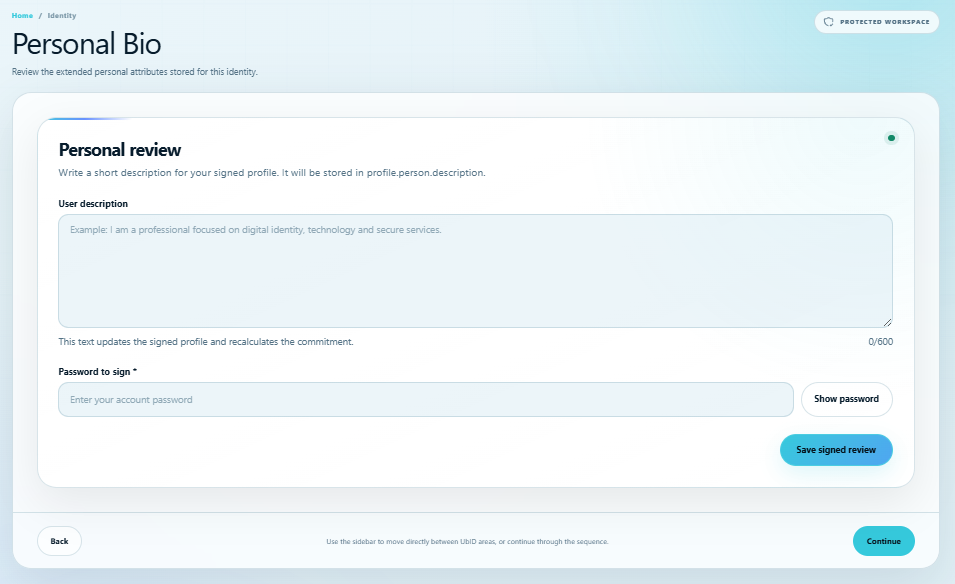
Enter up to 600 characters, provide the account password, and select Save signed review. Saving recalculates the signed-profile commitment; it is not merely an unsaved public-profile draft.
Social Networks
Open Identity → Social Networks.
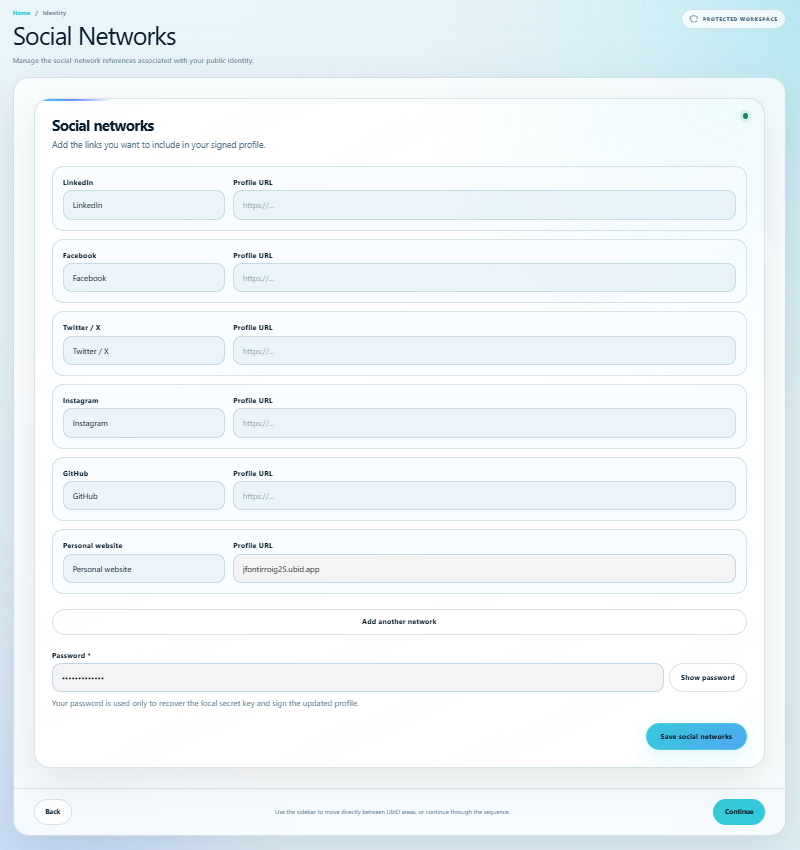
UbID provides fields for LinkedIn, Facebook, Twitter/X, Instagram, GitHub, and a personal website. Enter complete, valid profile URLs. Add another network supports up to five additional custom entries. Enter the password and select Save social networks to sign the updated profile.
An empty standard field is ignored. Review every link before saving so the signed profile does not point to an account you do not control.
Postal Address
Open Identity → Postal Address.
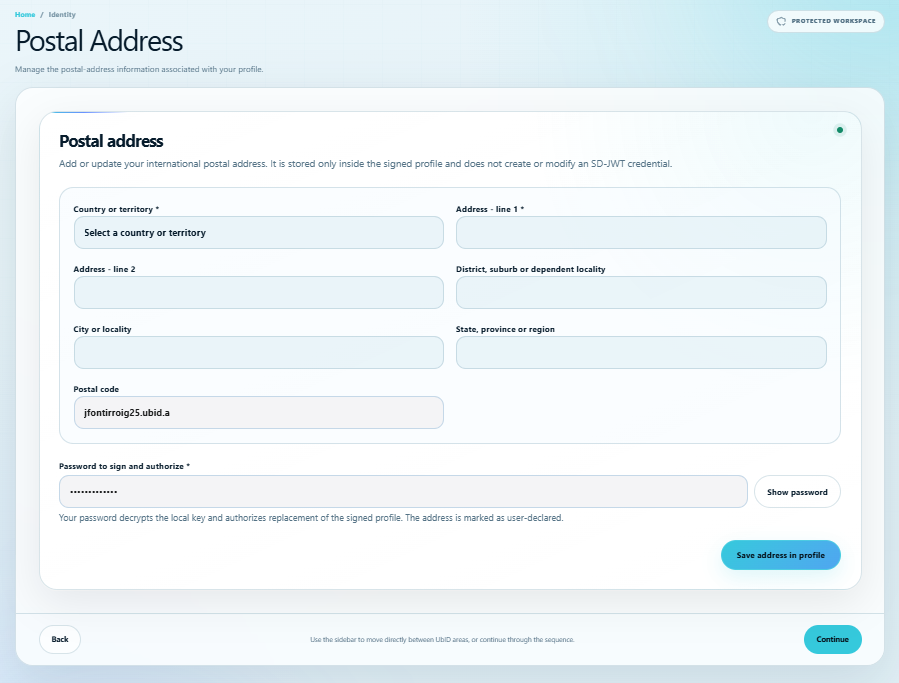
Choose a country or territory and enter at least Address – line 1. Complete line 2, district, city, state/region, and postal code when applicable. Then enter the password and select Save address in profile.
The address is marked as user-declared inside the signed profile. This operation does not by itself verify the address or create or modify an SD-JWT credential.
My public profile
Open Identity → My public profile to control the information visible through the identity's public *.ubid.app address.
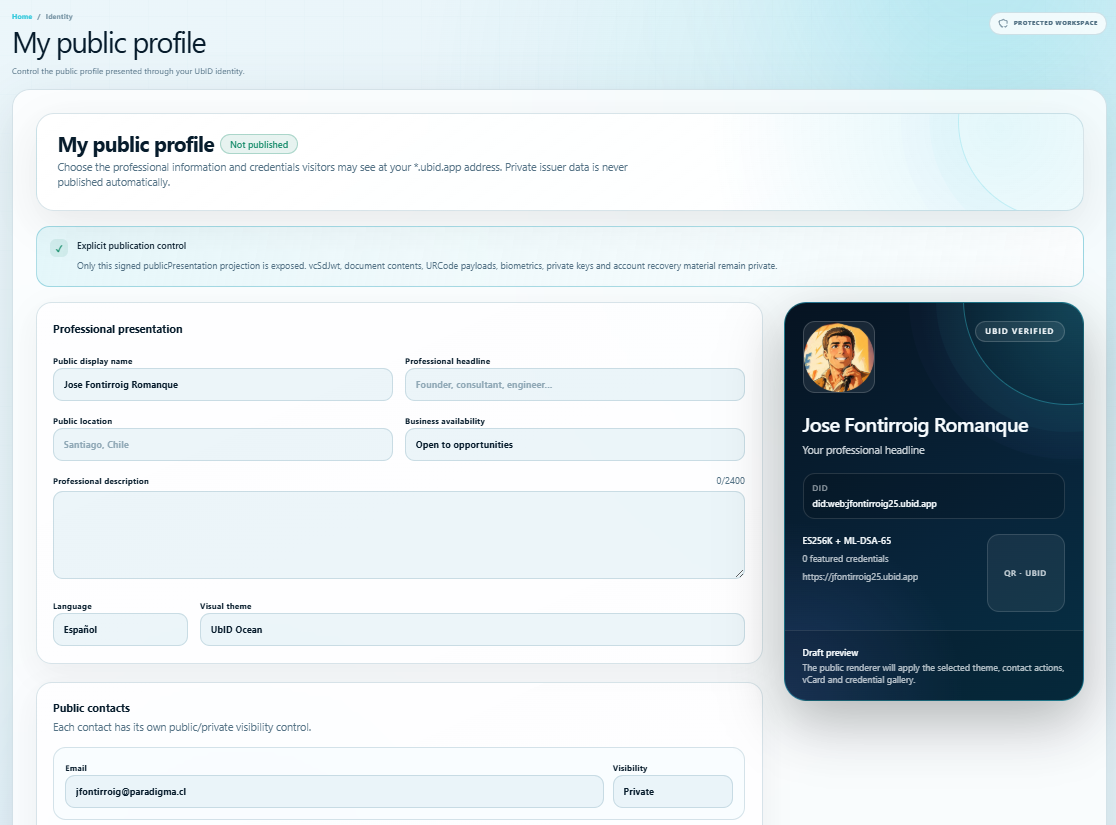
The editor separates publication from private issuer data:
- Set display name, professional headline, public location, availability, description, language, and visual theme.
- Give each contact its own Public or Private visibility.
- Add services or capabilities; the current implementation accepts up to 12.
- Select up to eight featured credential summaries.
- Review the live draft card before publishing.
Enter the password and choose Save draft, Sign and publish, or Unpublish profile, as appropriate. Only the signed publicPresentation projection is exposed. Complete SD-JWTs, UR Code payloads, documents, biometrics, private keys, and account-recovery material remain outside the public profile. Featured credentials publish summaries only; visitors request a consented presentation through Vault and Verifier.
To understand exactly what visitors can see and do after publication, see User public profile.
Business center
Open Identity → Business center to review professional contacts, commercial proposals, and meeting requests received from the public profile.
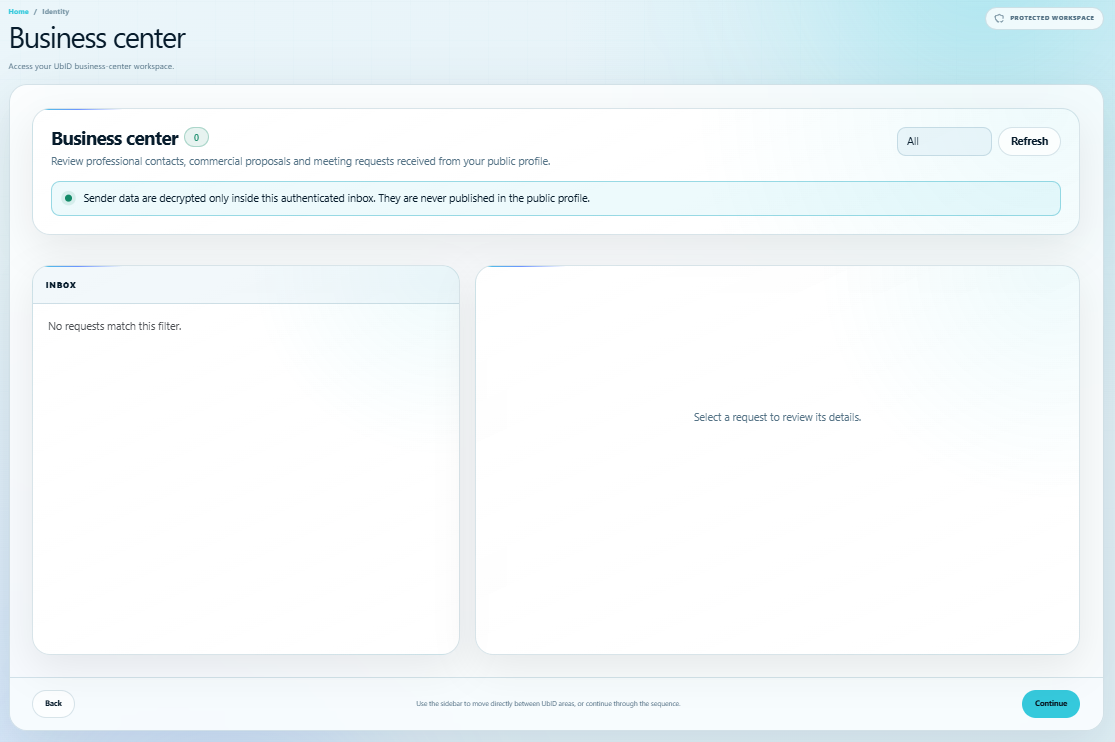
Use the status filter and Refresh to update the inbox. Select a request to review the sender, request content, status, and audit trail. Available actions move the request through its allowed states and can include an internal note of up to 1,000 characters.
Sender data is decrypted only inside this authenticated inbox and is not published in the public profile. Treat its contents as private correspondence.